Titles and descriptions
Write clear resource names and member-facing descriptions so people know what they are getting before they open it.
Publish the guides, files, and content members joined to access.
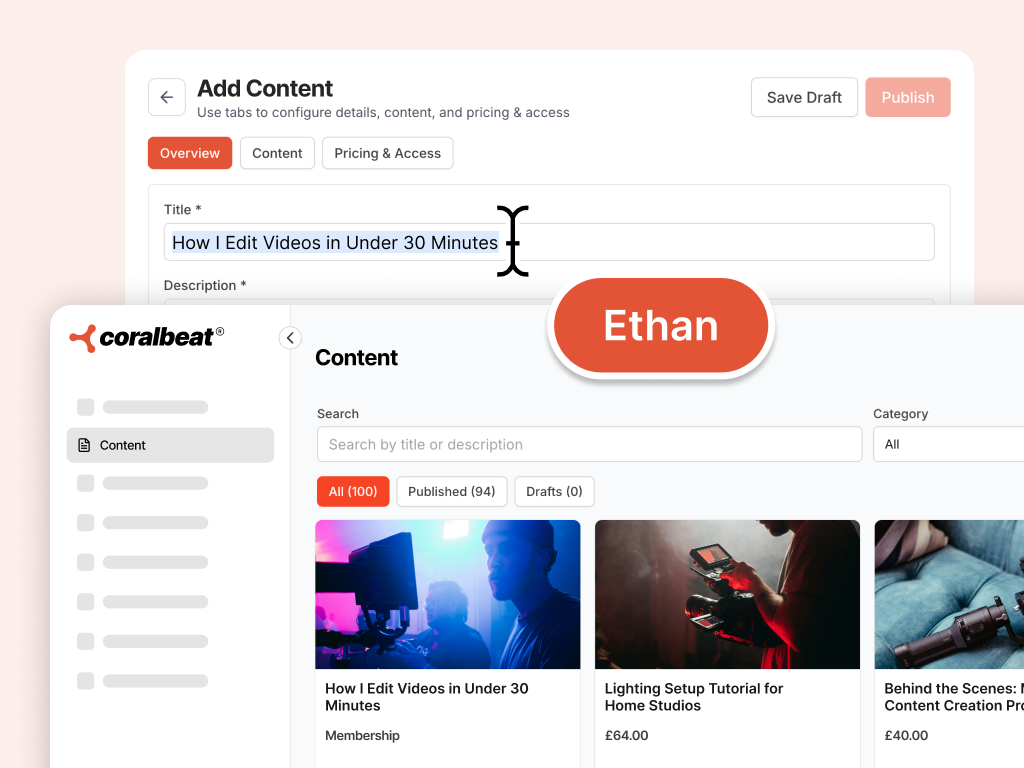
Conversation builds connection, but content delivers lasting value. Ethan helps you plan member resources with clear titles, descriptions, categories, access tiers, and publish readiness. You preview every change as a draft before members see it in your library.
Write clear resource names and member-facing descriptions so people know what they are getting before they open it.
Group guides, files, and premium materials into categories that make your library easy to browse and maintain.
Set free, paid, or tier-gated access that matches your membership model without confusing members at the door.
Recommend what to attach after you save a draft. You upload thumbnails and files in Preview. Colleagues do not upload or generate assets.
Review every title, description, and access change as a draft first. Your live library stays untouched until you approve it.
Decide which content should be open to all members and which belongs behind a tier or one-time purchase.
Align resources with Maya's challenges and Sophia's signup flow so new members find valuable content from day one.
Check that titles, access, licensing, and upload recommendations are ready before you publish content for members.
Ask in plain language, review drafts in Preview, and apply when you are ready.
Tell Ethan what guides, files, or premium content your community should offer. He turns that into resource drafts you can react to.
See titles, descriptions, categories, and access settings as a proposal. Nothing goes live until you have checked it in Preview.
Publish the resources that are ready and refine the rest. You choose what appears in your live member library.
Your challenges, spaces, and onboarding flows stay aligned so content supports the journey members are already on.
Describe your member resources in Collaborate, then switch to Preview to check titles, descriptions, access, and what to attach before anything goes live.
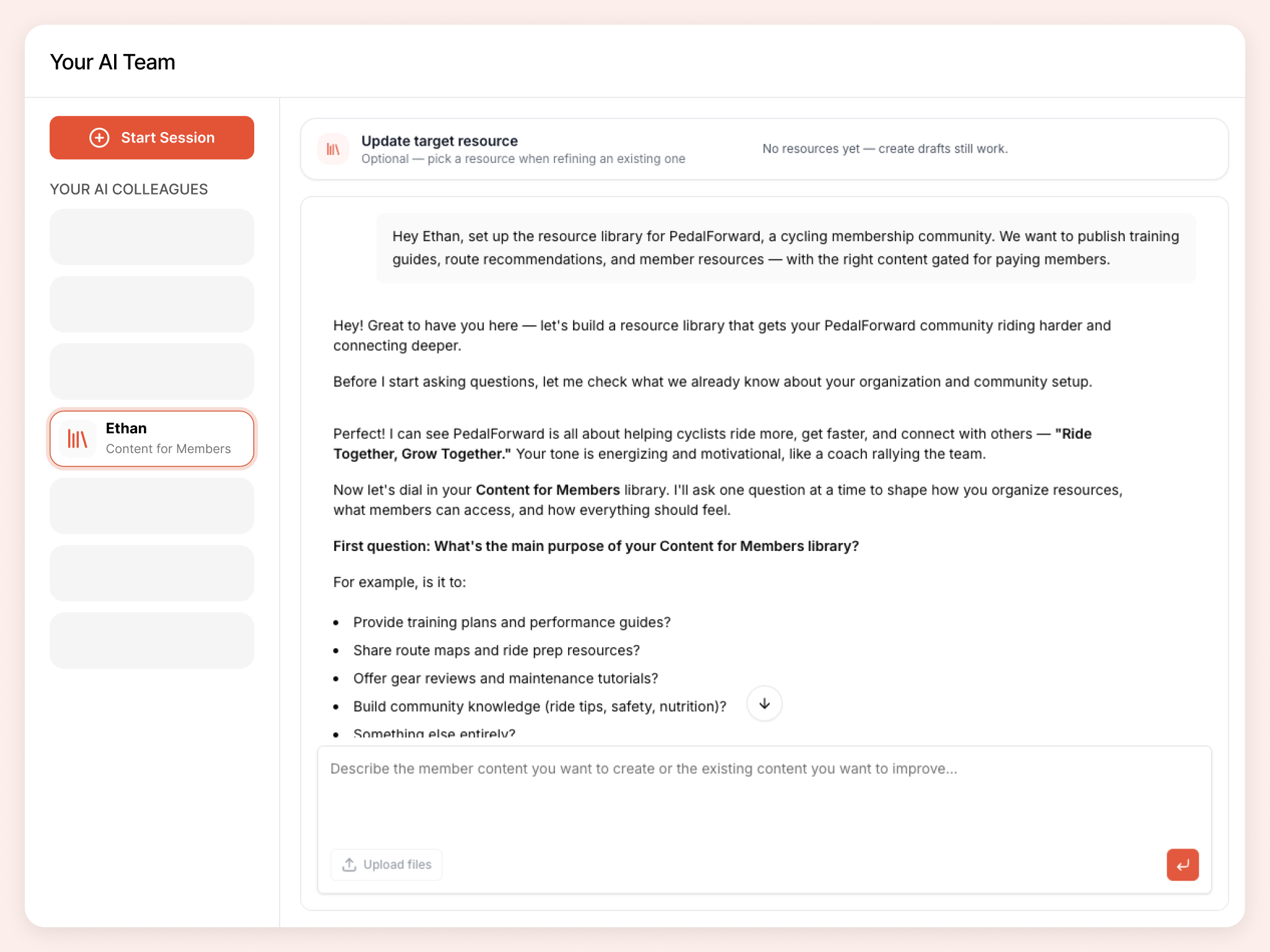
Hand off real tasks in everyday language. Ethan turns them into drafts you review in Preview before anything goes live.
Help me structure a resource library for my course community.
Write descriptions for three member guides we are about to publish.
Which content should be free vs premium for our nonprofit supporters?
Draft the resource entry for a new video workshop and suggest what I should attach in Preview.
Ethan is one member of your AI team. Colleagues share organizational context as you build, so your brand, pages, signup flow, and community stay connected.
Challenges, badges, and points members can work toward. Preview before apply.
Member areas that make sense from day one: names, visibility, icons, and featured placement you preview before apply.
A launch-ready brand members trust: name, colours, and assets you upload and approve in Preview.
Read-only community insights: joins, engagement, spaces, signup forms, and challenges in plain language.
Sign up for Coralbeat Community and collaborate with Ethan. No credit card required.
Work with Ethan